Welcome
This site lists all available integrations in Polares and how to enable them on the customer side. Use the left navigation to jump to any section.
Getting started
Before enabling any integration, make sure your organization has admin access and the correct subscription tier with the external software.
Heads up: Some providers require whitelisting our callback URL.
https://polares.io/integrations/asdasdNetvisor
Sync Netvisor products, customers, and invoices with Polares.
Sign into Netvisor as admin and hover on the desired company. 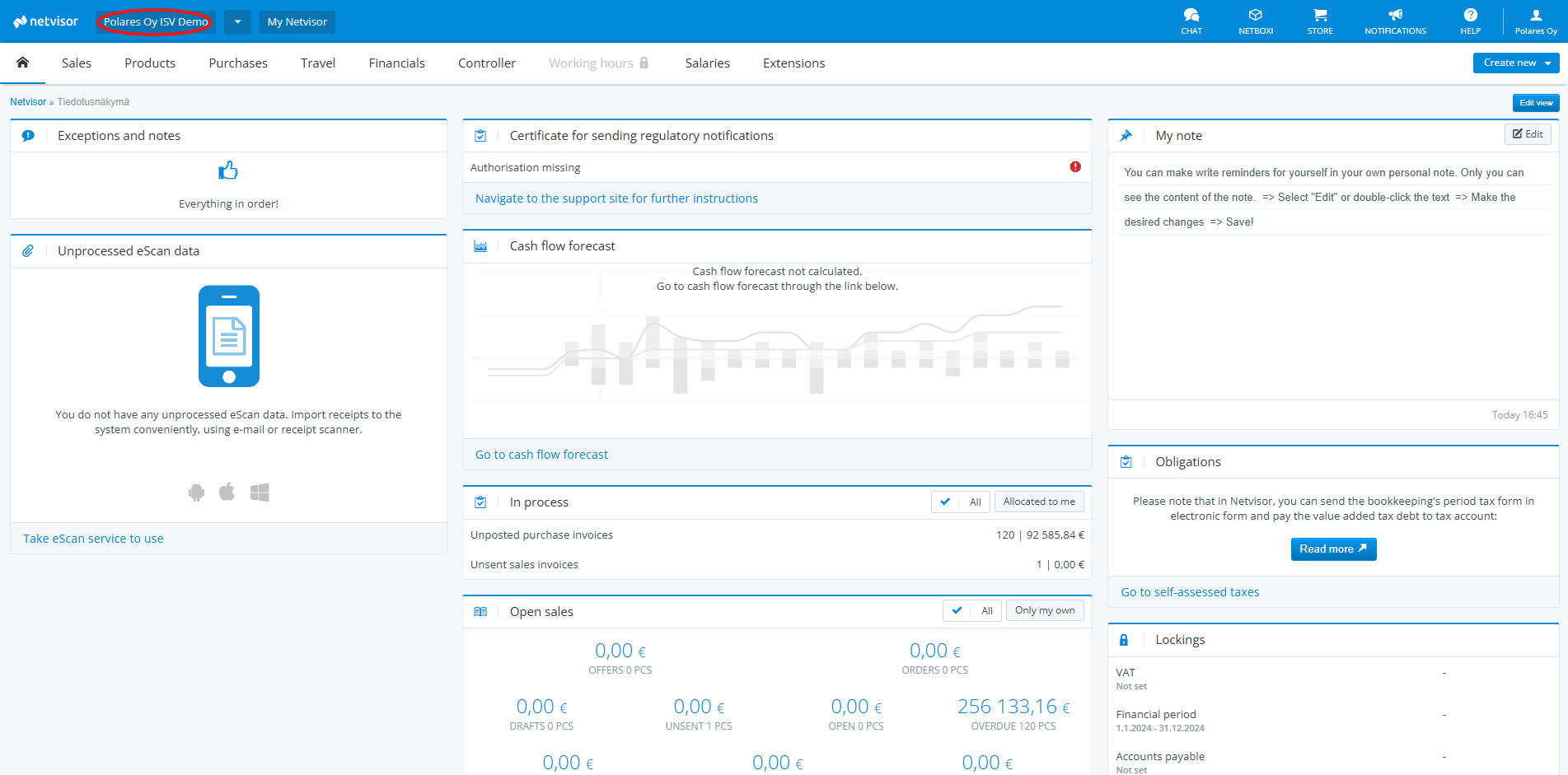
Select "API Identifiers from the dropdown menu". 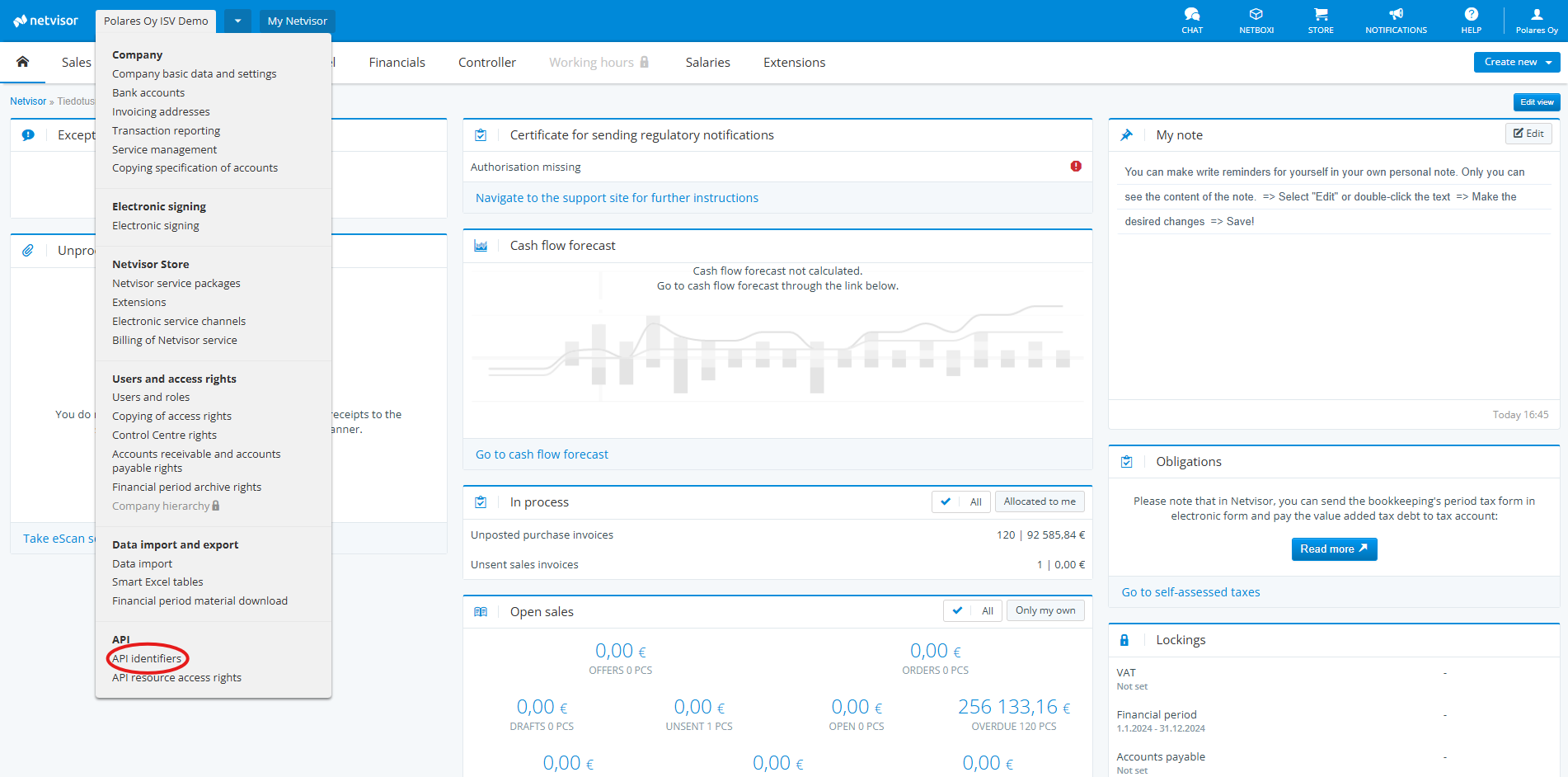
Navigate to "API resource access rights".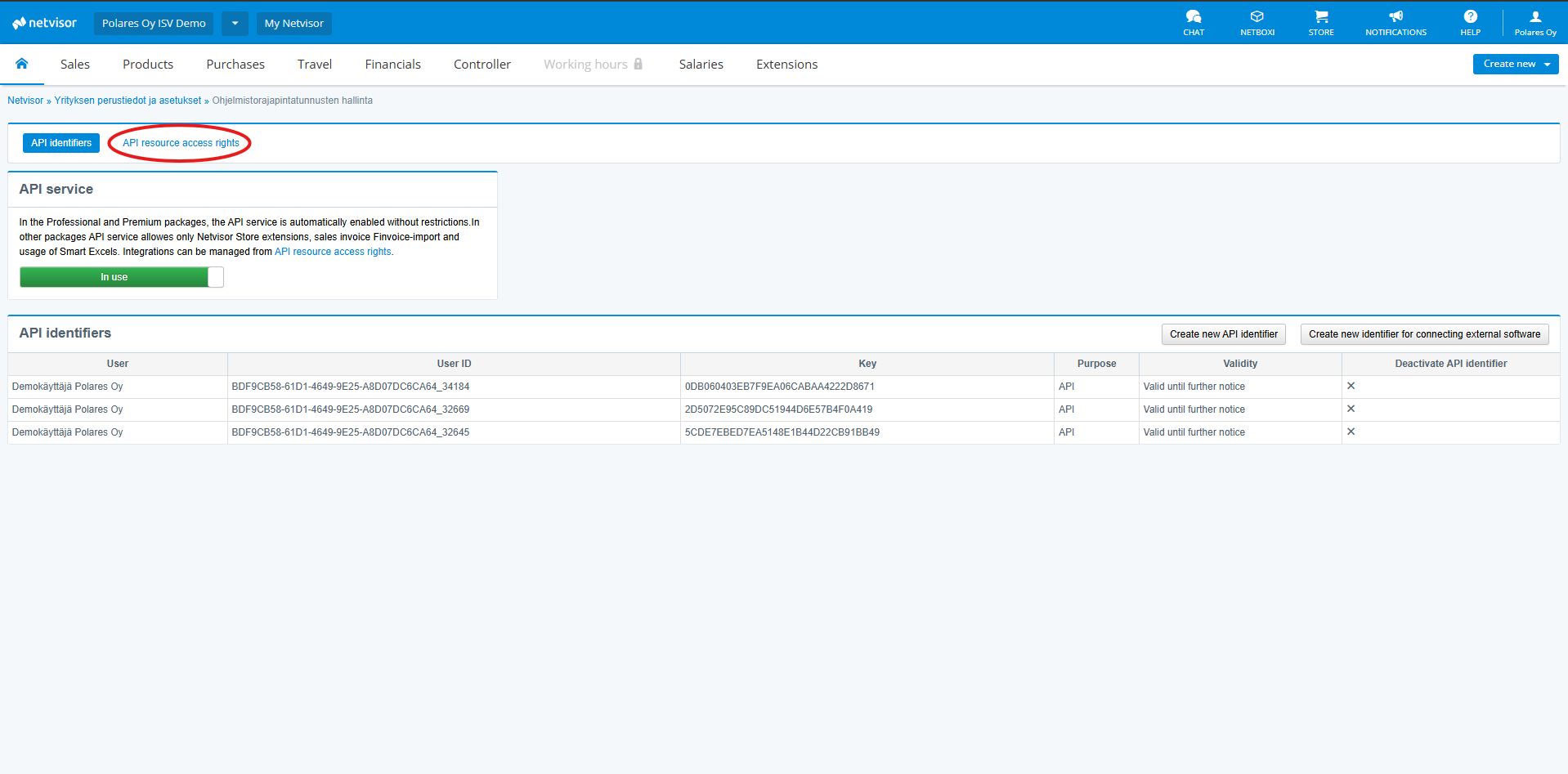
Find Polares Oy from the Finished integrations search bar and enable specific access rights or click on "Integration blocked" to allow all access. If you can't find Polares in Finished integrations, switch to "Custom integrations" and paste the following key: 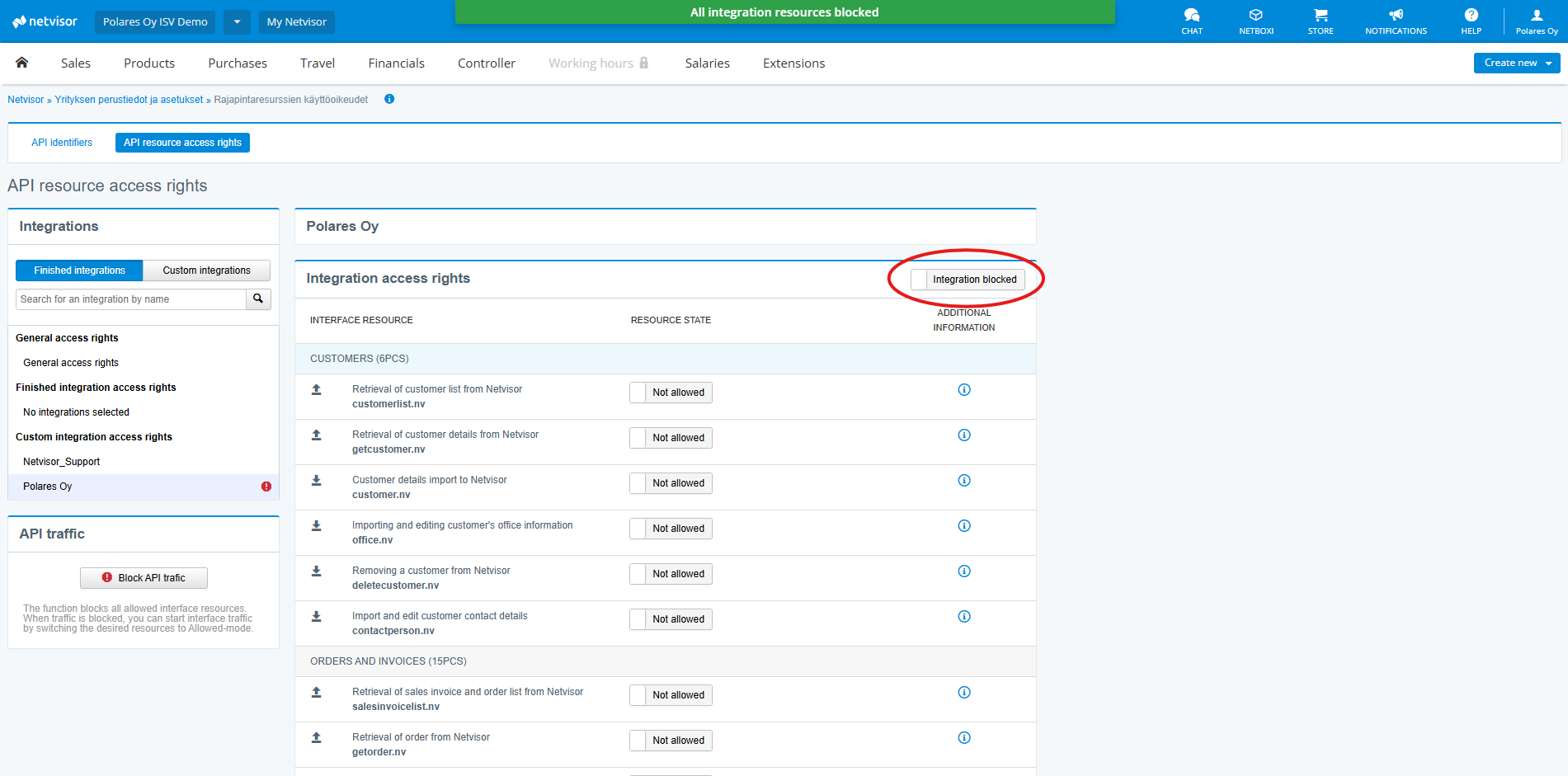
8E3ACAD09543C1D03E1BD1CEA53B3F7ASuccess!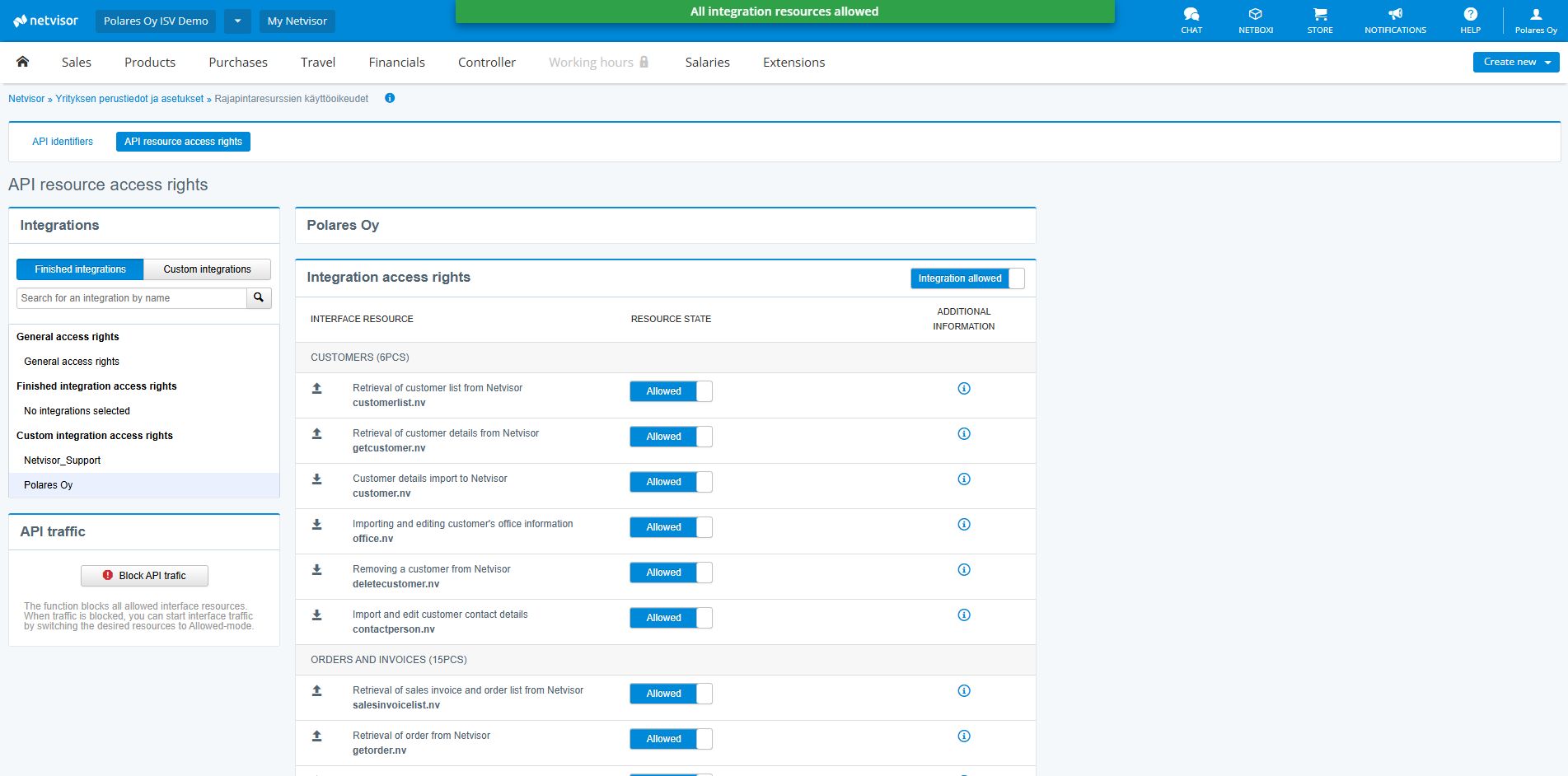
Tripletex
Connect your Tripletex account to sync customers, invoices, and ledger entries.
Sign in to Tripletex as an admin.
Go to "Integrations" in the main menu. Here you will find the marketplace with integrations that you can easily connect to.
Find Polares and click on "Activate", then after agreeing to the agreement click "Add"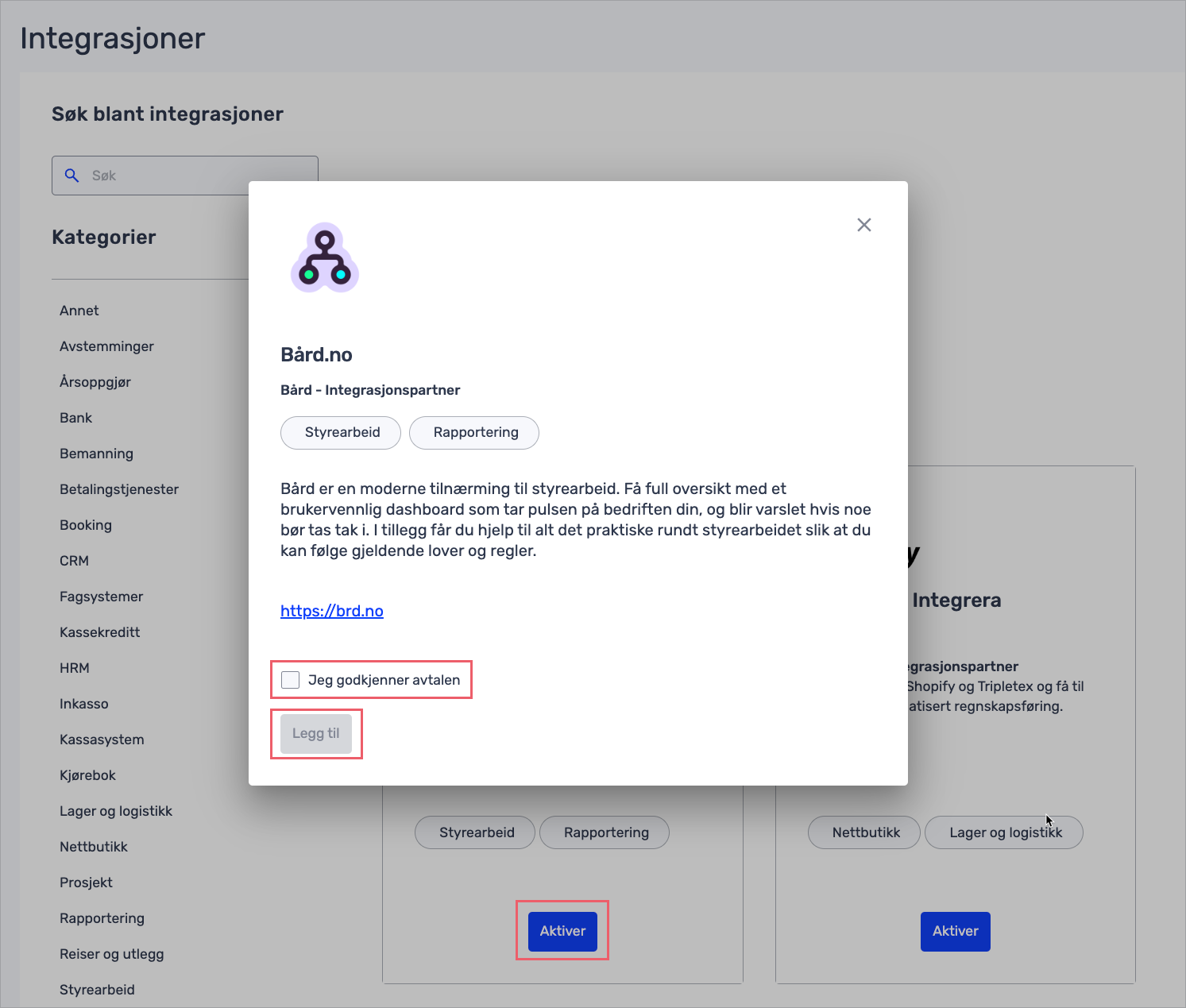
Procountor
Enable Procountor to sync accounting entries and VAT reports.
Create an API user in Procountor and assign
Financials.Read at minimum.Whitelist our callback URL in Procountor:
https://polares.io/integrations/asdasd.Send the API key to us.
Xero
Sync your Xero data with Polares.
Sign into Xero via our Authorization link: Auth link
Allow access for the company of your choice.
Success!
Fivaldi
Sync your Fivaldi data with Polares.
Step 1
Step 2
Step 3
Step 4
ServiceNow
Sync your ServiceNow data with Polares.
Navigate to /sys_user_list.do within your company instance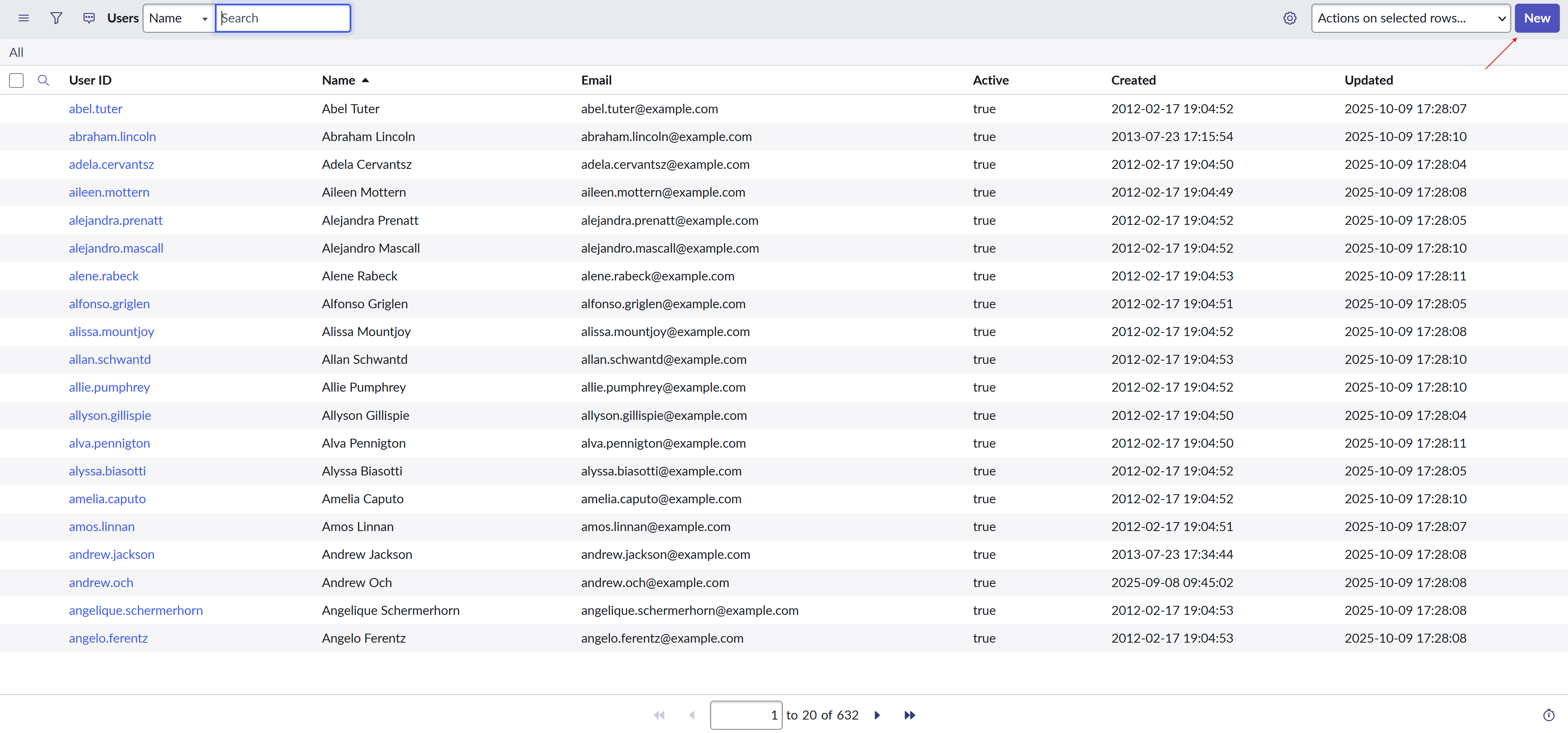
Create a user named Polares and assign the roles you want to give access to for our integration.
Head to All -> System OAuth -> Inbound integrations and create an integration named Polares.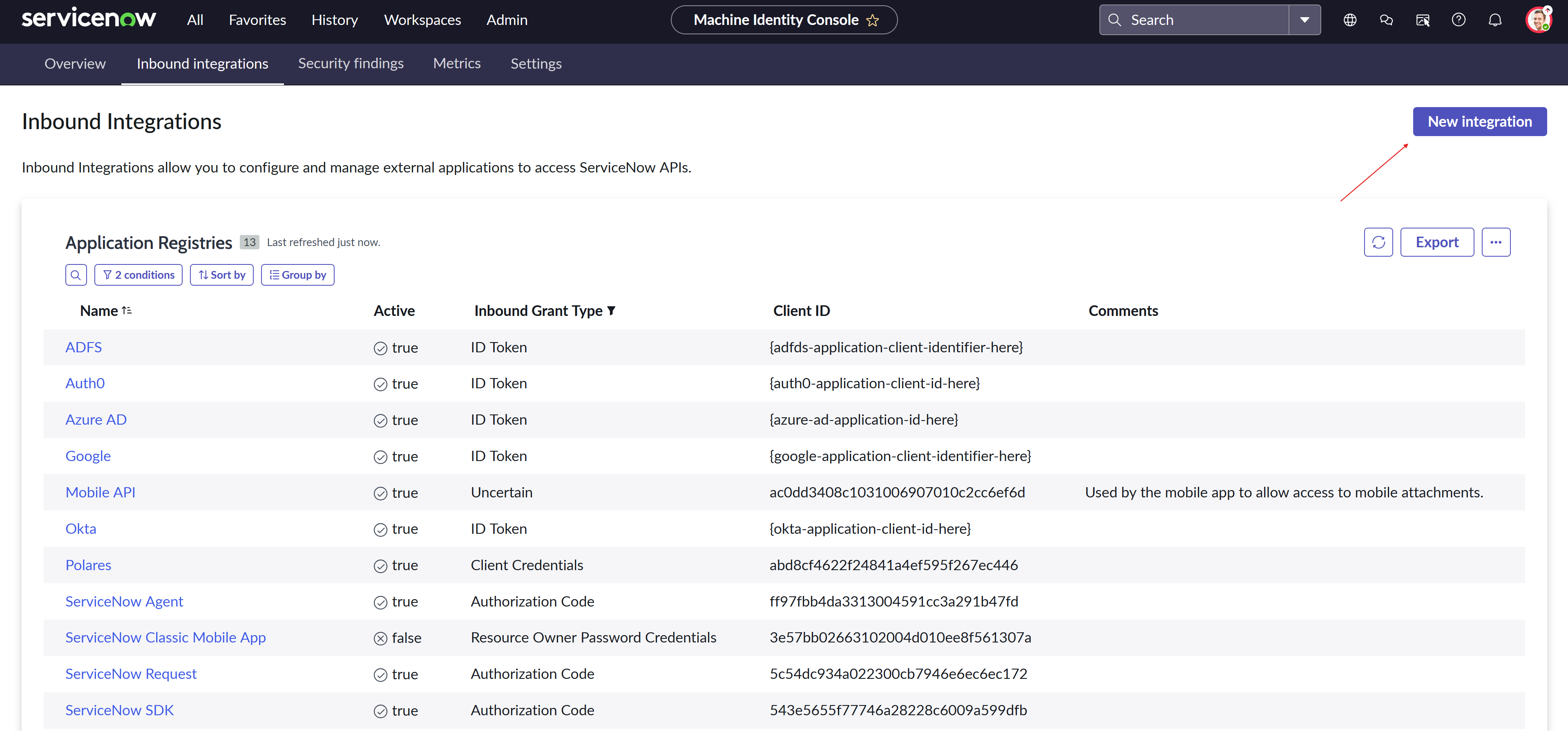
Send your company-specific domain, integration client id and secret to us.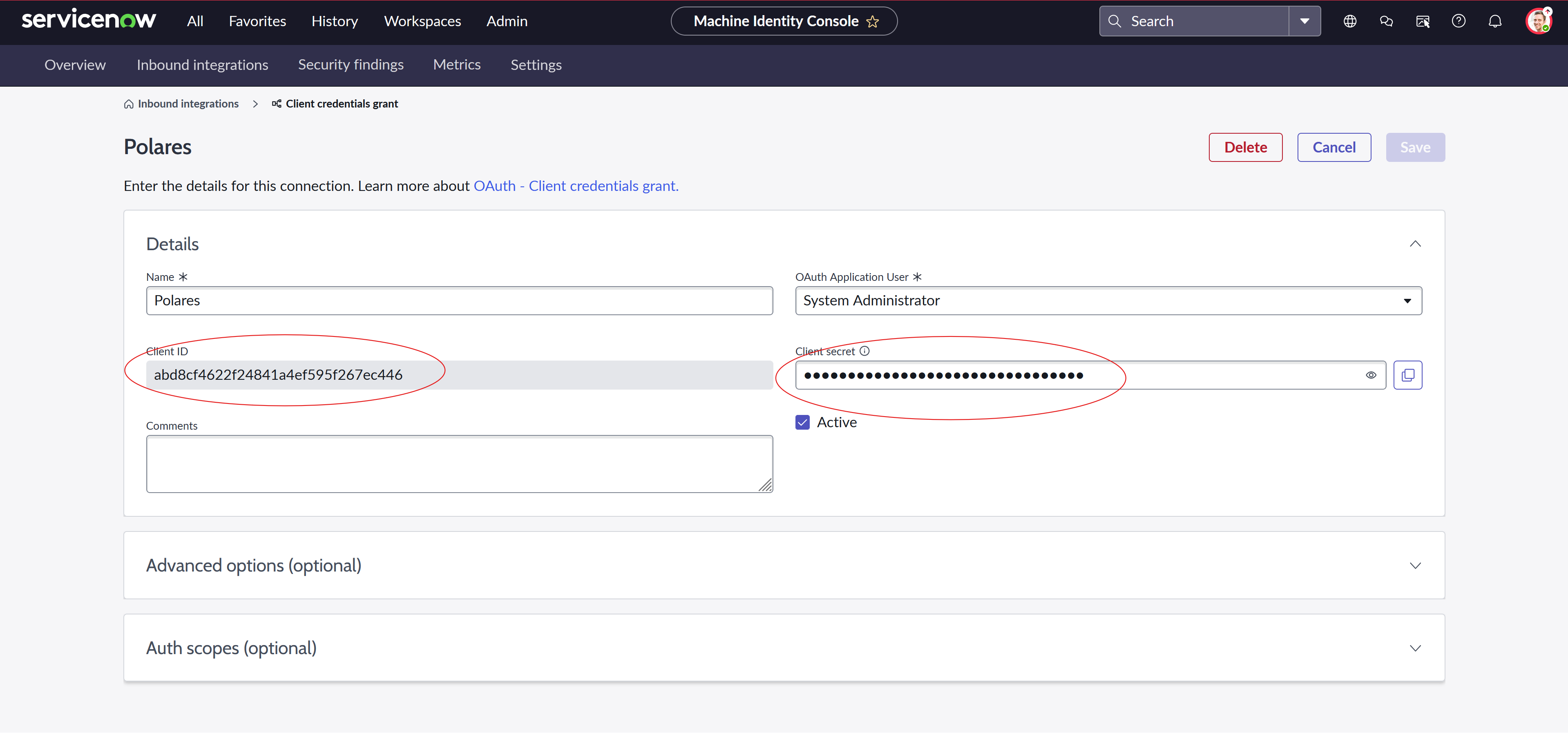
Success!
FAQ
Why is my integration pending?
Approvals at the provider can take up to 48 hours.Another FAQ question
Another FAQ answer.Support
Need help? Email us at [email protected] or contact through our website polares.io.